Azure Storage: Blobs, Files, Queues, Tables, Redundancy, Security, and Lifecycle
An Azure storage account is a namespace and policy boundary for Blob object storage, Azure Files shares, Queue messages, and Table key-value data. Choose its region, performance, redundancy, network access, authorization, data protection, and lifecycle rules deliberately. Prefer Microsoft Entra authorization over shared account keys.
Lab: 40 minutes · Cost: small storage and transaction charges can occur · Creates: storage account, blob container, small test blob · Cleanup: delete the resource group or storage account.
Which storage service should you choose?
How can you create a storage account?
Ways to build
Choose the Azure tool you want to use. The underlying resource stays the same.
Azure portal
Search Storage accounts, select Create, and review every tab.
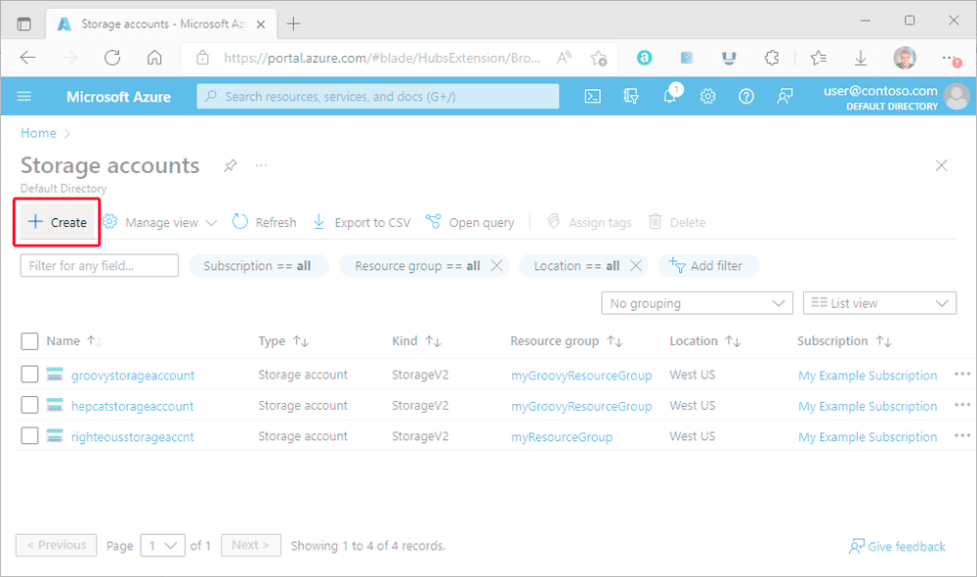
For a learning account:
- Standard, general-purpose v2.
- Locally redundant storage (LRS) for low-cost disposable data.
- Secure transfer required.
- Minimum TLS set to the current supported secure baseline.
- Anonymous blob access disabled.
- Public network access only if the lab requires it; production normally uses selected networks/private endpoints.
- Soft delete and versioning based on recovery needs and cost.
Storage account names are globally unique, 3–24 characters, lowercase letters and numbers only.
How do redundancy options differ?
- LRS: copies within one datacenter location; low cost, limited disaster protection.
- ZRS: copies synchronously across availability zones in a region.
- GRS/GZRS: adds asynchronous replication to a secondary region.
- RA-GRS/RA-GZRS: permits reads from the secondary endpoint.
Geo-replication is not an application failover plan. Understand recovery behavior, last-sync time, account failover implications, DNS, and write availability.
How do access tiers and lifecycle rules control cost?
Hot, cool, cold where available, and archive tiers trade storage price against access and retrieval costs. Minimum retention and rehydration behavior matter. Use lifecycle management to move or delete objects based on age and prefixes.
Example policy idea: move completed source documents to cool after 30 days, archive after 180 days, delete old versions after 365 days. Test against legal retention and recovery requirements before enabling deletion.
How do you define secure storage with Bicep?
bicep
allowSharedKeyAccess: false is a strong target, but enable it only after every client uses Entra ID or an approved alternative. A private endpoint, private DNS zone, and RBAC assignments must be part of the full production deployment.
Terraform equivalents include azurerm_storage_account, azurerm_storage_container, azurerm_private_endpoint, private DNS resources, and role assignments. Treat the state file as sensitive.
What data-protection settings matter?
- Blob and container soft delete.
- Versioning.
- Point-in-time restore where supported.
- Immutable storage for regulated retention.
- Customer-managed keys only when requirements justify their lifecycle and availability burden.
- Defender for Storage when its detection value and cost fit the workload.
Protection features can increase capacity and transaction costs. Define retention from recovery and compliance needs, not from the largest number the portal permits.
Verify and clean up
bash
Delete the self-contained lab group:
bash